
Salesforce API Configuration – The Ultimate Guide You’ll Laugh & Learn From!
The BNM Tuts >> SF Development>>Uncategorized>> Salesforce API Configuration – The Ultimate Guide You’ll Laugh & Learn From!Salesforce API Configuration – The Ultimate Guide You’ll Laugh & Learn From!
Hey Trailblazers!
Welcome back to The BNM Tuts, where we make complex Salesforce things as easy as debugging a typo in your Apex class (okay, almost). Today we’re cracking open the mystery box labeled Salesforce API Configuration — and yes, we promise to keep it fun, real, and wildly useful.
What is API in Salesforce? (Or: Why Your Org Is Talking to Strangers)
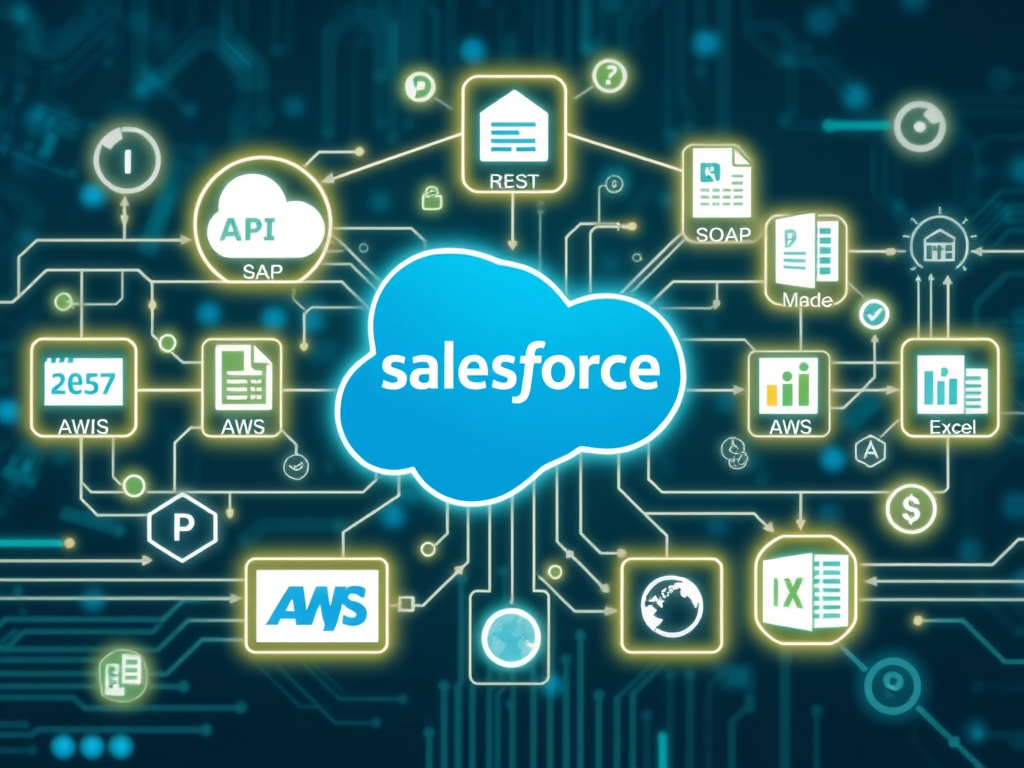
In the tech world, APIs are like translators at a UN meeting — they help your Salesforce org talk to other systems, like SAP, AWS, your grandmother’s Excel sheet (kidding… or are we?).
API = Application Programming Interface — and in Salesforce, it’s your gateway to data integration bliss.
What is an API in Salesforce?
API (Application Programming Interface) allows external systems and applications to interact with Salesforce programmatically. Salesforce provides multiple APIs for different use cases.
Why Use APIs in Salesforce?
- Automate repetitive tasks
- Integrate Salesforce with external systems (ERP, HR, marketing tools, etc.)
- Access and manipulate Salesforce data securely
- Enable real-time or scheduled data exchange
🛠️ Key Types of APIs in Salesforce (The API Avengers)
Before we configure anything, let’s meet the team:
| API Name | Use Case | Format |
|---|---|---|
| REST API | Lightweight integration (CRUD via HTTP) | JSON/XML |
| SOAP API | Enterprise-level integration (WS-Security, WSDL) | XML |
| Bulk API 1.0 & 2.0 | Handle large data sets (ETL jobs) | CSV/JSON |
| Streaming API | Push notifications for record changes | CometD |
| Pub/Sub API | Event-based integration (platform events) | gRPC/JSON |
| Metadata API | Deploy/retrieve metadata (e.g., Apex, Layouts) | ZIP/XML |
| Tooling API | Custom Dev Tools (Apex code, debug logs) | JSON/XML |
| GraphQL API | Optimized data querying via single API call | JSON |
Pre-requisites for API Access
- Salesforce Editions: API is enabled by default in Enterprise, Unlimited, Developer, and Performance Editions.
- User Permissions:
- “API Enabled”
- “Modify All Data” (optional, depends on use case)
- Connected App for OAuth-based authentication
⚙️ How to Configure APIs in Salesforce (The Non-Boring Way)
Let’s roll up our sleeves and configure this thing — BNM Tuts style.
🎯 Step 1: Create a Connected App (No, not a Tinder profile)
- Go to Setup → Search “App Manager”
- Click New Connected App
- Fill these vibe-killing but necessary fields:
- App Name: “BNM_API_App” (Or something cooler)
- Email: Your work email (no, not iloveapis69@gmail.com)
- Enable OAuth Settings
- Callback URL: Use
https://login.salesforce.com/services/oauth2/callback - Selected OAuth Scopes:
Full access (full)Perform requests on your behalf (refresh_token, offline_access)Access and manage your data (api)
- Callback URL: Use
🎉 You just made your org API-ready. Look at you, configuring like a boss.
🔑 Step 2: Grab the Keys (Client ID & Secret – not your house keys)
After saving the app:
- You’ll get a Client ID and Client Secret
- Keep them safe. Like, Fort Knox safe. Or at least “Don’t email them to yourself” safe.
🔄 Step 3: Authenticate Like a Rockstar
Use Postman, cURL, or even Apex to get that access token. Here’s a sample cURL command:
curl -X POST https://login.salesforce.com/services/oauth2/token \
  -d "grant_type=password" \
  -d "client_id=YOUR_CLIENT_ID" \
  -d "client_secret=YOUR_CLIENT_SECRET" \
  -d "username=YOUR_USERNAME" \
  -d "password=YOUR_PASSWORD+SECURITY_TOKEN"
Now Salesforce will send you an access_token — your golden ticket 🍫 to call the APIs.
Authentication Methods
| Method | Use Case | Requires |
|---|---|---|
| OAuth 2.0 | Secure web/mobile integrations | Connected App |
| Username-Password | Backend automation scripts | User credentials |
| JWT Bearer Token | Headless integration (server) | Certificate |
| Session ID | Temporary access via Apex | Session token |
📡 Sample API Calls to Brag About
🕵️♂️ Get Account Records (REST API Style)
GET /services/data/v60.0/sobjects/Account/
Authorization: Bearer YOUR_ACCESS_TOKEN
📦 Upload Bulk Records (Bulk API)
Use CSV, chunk it up, and push to:
/services/data/v60.0/jobs/ingest
🎧 Streaming API Fun (PushTopics FTW)
- Create a PushTopic
- Listen in real-time using CometD protocol
Feels like a Salesforce party where you don’t even need to knock.
Using SOAP API
- Download Enterprise WSDL or Partner WSDL
- Use tools like SoapUI, Postman, or programming languages with SOAP support (Java, .NET)
- Key operations:
login()query()create()update()
Bulk API 2.0 (High-volume data loads)
- Endpoint:
/services/data/v60.0/jobs/ingest - Supports:
- Create job
- Upload CSV
- Close job
- Get job status
- Ideal for ETL and data warehousing tools
Streaming API (Real-time record change events)
- Uses PushTopics, Generic Events, or Change Data Capture
- Requires CometD client library
- Subscribe to real-time record changes
Metadata API (Deploy Metadata)
- Deploy Apex, Profiles, Workflows, etc.
- Tools:
- Salesforce CLI (
sfdx force:mdapi:*) - Workbench
- ANT Migration Tool
- Salesforce CLI (
Tooling API
- Access metadata and developer tools
- Use for:
- Query Apex classes, Triggers
- Debug logs
- Code coverage
Security Best Practices
✅ Use OAuth 2.0 for secure integrations
✅ Never expose client secrets
✅ Use Named Credentials (in Salesforce) for external endpoints
✅ Enable IP restrictions and Login IP Ranges
✅ Set API Usage Limits and monitor logs
Monitoring API Usage
Go to:
Setup → System Overview
or
Setup → API Usage Notifications
Use:
LimitsREST endpoint:/services/data/vXX.X/limits
🤯 Common Gotchas (We’ve Suffered So You Don’t Have To)
- ❌ Wrong callback URL → Boom. “invalid_grant” error.
- 🔐 Security token missing → Facepalm.
- 🔄 Refresh token not working? You didn’t request offline_access, did you?
- 🧼 Soap XML errors → Even Google gives up. Use Postman’s WSDL parser!
🎁 Bonus: When to Use Which API?
| Use Case | Best API |
|---|---|
| Fetch 1-100 records on mobile app | REST API |
| Push 1 million records nightly | Bulk API |
| Show live order updates | Streaming API |
| Automate deployment | Metadata API |
| Build custom dev tools | Tooling API |
Tools to Test Salesforce APIs
- Postman
- WorkBench: https://workbench.developerforce.com
- Insomnia
- Salesforce CLI (sfdx)
Common Errors & Solutions
| Error | Reason | Fix |
|---|---|---|
INVALID_SESSION_ID | Token expired | Refresh token or login again |
API_DISABLED_FOR_ORG | API not enabled | Upgrade edition or enable API |
REQUEST_LIMIT_EXCEEDED | Exceeded daily API calls | Optimize calls / request increase |
INVALID_GRANT | Wrong credentials / IP restriction | Check username, password, IP |
Real-World Use Cases
- Sync Salesforce Leads with HubSpot – REST API
- Export Daily Opportunity Reports – Bulk API
- Push Order Status Updates to External System – Platform Events
- Deploy Custom Metadata between Sandboxes – Metadata API
- Create Integration with SAP ERP – SOAP API
🧠 Final Thoughts from BNM Tuts
Configuring Salesforce APIs doesn’t have to feel like decoding alien math. With this post, you’re now an API Jedi, ready to integrate, automate, and dominate.
(Okay, maybe not dominate, but you get it.)
Further Reading and References
👉 So next time someone says, “Can you integrate this system with Salesforce?”
You say:
“Sure. REST or SOAP?” 😉
🚨 Wait! One More Thing…
If this helped you laugh and learn, drop a comment, share it with your team, or shout out @TheBNMTuts on LinkedIn.
Until next time: Stay curious, stay API-fied, and don’t forget your security token!
#HappyTrailblazing
— The BNM Tuts
Related Post
Setup Guidelines Salesforce CPQ
Hello Champs! I am here to give some tips to set up Salesforce CPQ, once…